Restaurant Prime Cost Explained (and How to Keep It Under 60%)
Prime cost is the one number that decides if your restaurant is profitable. Learn what it is, how to calculate it, and how to keep it under 60% of sales.
Prime cost is the single most important number in restaurant finance: it combines your two biggest controllable expenses — the cost of your food and drink, and the cost of your labor. If you track only one metric to judge whether your restaurant is healthy, make it this one, and aim to keep it under 60% of sales.
This guide explains what prime cost is, how to calculate it, what a good target looks like, and how to use your POS data to keep it in line.
What is prime cost?
Prime cost is the sum of two things:
Prime cost = Cost of Goods Sold (COGS) + Total labor cost
- COGS is what you spend on the ingredients and drinks you actually sold — your food and beverage cost.
- Labor is the full cost of your team: wages, salaries, plus payroll taxes and benefits.
Expressed as a percentage of sales, it tells you how much of every dollar (or manat, or so'm) is consumed by the two costs you can most directly control. Rent, utilities, and equipment matter too — but they're largely fixed. Prime cost is where management actually moves the needle.
How to calculate prime cost
The formula is simple:
Prime cost % = (COGS + Labor) ÷ Total sales × 100
Example: In a month your restaurant does 100,000 in sales. You spend 32,000 on food and drink and 25,000 on labor.
- COGS + Labor = 32,000 + 25,000 = 57,000
- Prime cost % = 57,000 ÷ 100,000 × 100 = 57%
At 57%, this restaurant is in healthy territory. The remaining 43% has to cover rent, utilities, marketing, equipment — and profit.
What is a good prime cost ratio?
The widely used benchmark is to keep prime cost at or below 60% of sales. Within that:
- Full-service restaurants often run food cost around 28-35% and labor around 30-35%, landing near the 60% ceiling.
- Quick-service and bars shift the balance — lower labor, or lower food cost — but the combined 60% target still applies.
When prime cost creeps past 65%, profit usually disappears. A one- or two-point move in either half is often the difference between a profitable month and a loss.
The two levers — and how to pull them
Lever 1: Lower COGS (the food side)
This is about waste, portioning, purchasing, and pricing. The fastest wins come from recipe costing, tracking theoretical-vs-actual variance, and re-pricing dishes whose ingredient cost has crept up. We cover this in depth in Cut food costs with your POS.
Lever 2: Lower labor (the people side)
Labor is the largest controllable cost in most restaurants, and the one most likely to spiral. The goal isn't fewer people — it's the right people at the right hours:
- 1Schedule against sales, not habit. Use your hourly sales data to see your true peaks and troughs, then build rosters around them.
- 2Track real clock-in/clock-out. Hours scheduled and hours actually worked are rarely the same; the gap is pure cost.
- 3Measure sales per labor hour. It's the cleanest signal of whether a shift was over- or under-staffed.
- 4Cut re-work. Mis-fired tickets, remakes, and re-keying all consume paid labor. Tighter ordering and kitchen routing reduce them.
How your POS keeps prime cost under control
A modern restaurant POS gives you both halves of the equation in one place, in real time:
- COGS side: recipe (technical card) costing auto-deducts stock on every sale, so your food cost is always current — not a month-end surprise.
- Labor side: time & attendance and shift data show scheduled vs. actual hours and labor as a share of sales.
- Sales side: hourly and item-level sales reports reveal your real peaks, your best and worst sellers, and your average check — the inputs for both better scheduling and smarter menu pricing.
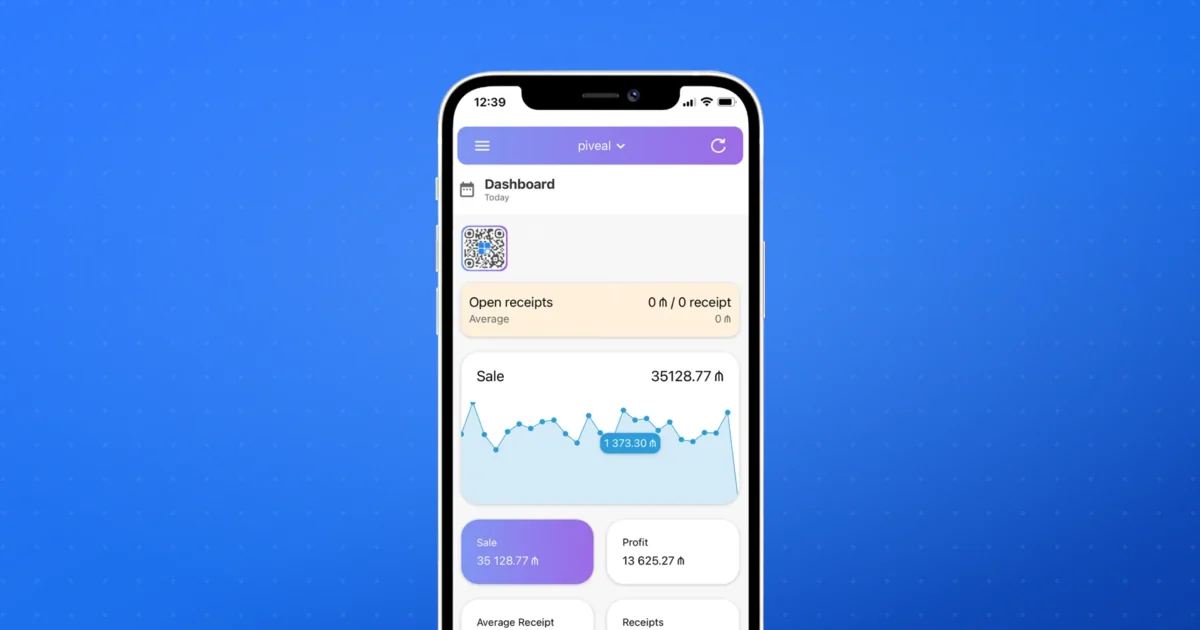
Because it's cloud-based, you can read these numbers from your phone between services instead of waiting for the accountant.
Clopos and prime cost
Clopos brings the full picture into one back office: technical-card food costing, supplier and purchase tracking, hourly and staff-level sales reports, and time & attendance — so you can watch both sides of prime cost as they move, not after the month closes.
Explore the Clopos back office →For the food half of the equation, start with Cut food costs with your POS. If you're still choosing a system, multi-location restaurant POS shows how prime cost rolls up across several venues from one panel.
Frequently asked questions
What is a good prime cost percentage for a restaurant?+
The common benchmark is 60% of sales or lower. Profitable full-service restaurants often hold it in the mid-to-high 50s; once prime cost climbs past 65%, profit usually disappears.
What is included in prime cost?+
Two things: Cost of Goods Sold (your food and beverage cost) and total labor (wages, salaries, payroll taxes, and benefits). It deliberately excludes fixed costs like rent and utilities, which you can't control day to day.
Why is prime cost more useful than food cost alone?+
Food cost only shows half your controllable spending. A kitchen can have a great food cost while overspending badly on labor. Prime cost captures both, so it's a truer read on whether the business is actually working.
How often should I check prime cost?+
Monthly at minimum, but the best operators watch the inputs weekly — food cost variance and labor as a share of sales — so they can correct course before the month is lost.
Can a POS system calculate prime cost for me?+
A POS gives you both halves: COGS from recipe costing on every sale, and labor from time & attendance and shift data, measured against your sales. That removes the manual math and lets you see prime cost in near real time.
This article was prepared by the Clopos team, with over 5 years of experience in the restaurant and cafe industry. Last updated: June 2026.