What Is a Restaurant POS System? The 2026 Guide to Cafe & Restaurant Management Software
What to look for when choosing a restaurant or cafe POS system? A complete 2026 guide covering ordering, kitchen display, QR menu and inventory.
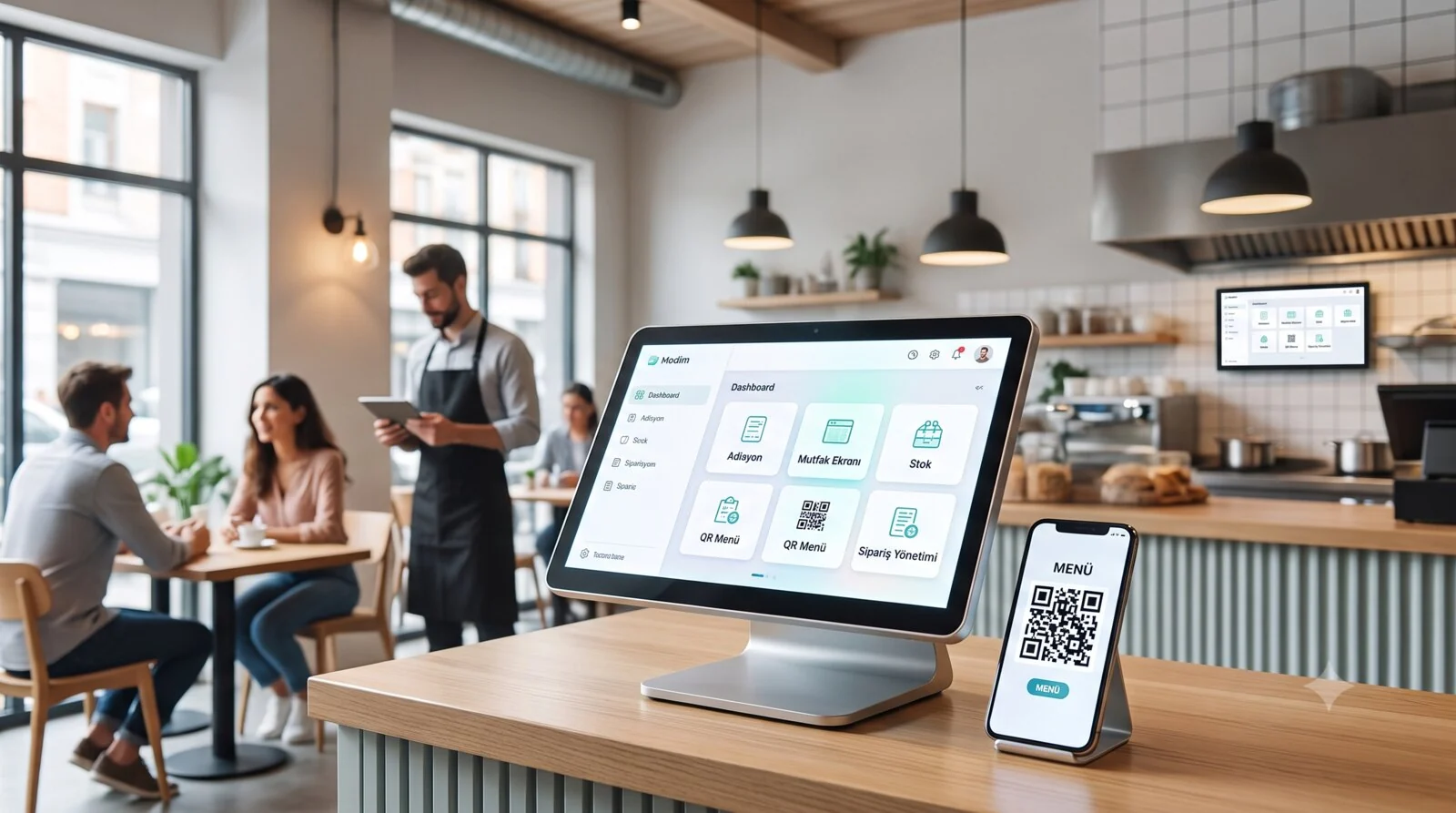
Whether you are opening a brand-new restaurant or replacing the management software in your cafe, one of the most important decisions you will face from day one is which restaurant POS system to use. The wrong choice means lost orders, incorrect checks, uncontrolled inventory and unhappy customers. The right choice lets you run your entire operation — from kitchen to table, from warehouse to accounting — from a single hub.
In this guide we cover everything you need to know when choosing a restaurant POS system or cafe POS system — from the order and check system to the kitchen display, from the QR menu to multi-location management — based on real-world experience. As a platform that provides restaurant management software to more than 4,500 restaurants and cafes across 13+ countries, we speak from inside the industry.
What Is a POS System?
POS stands for "Point of Sale." Put simply, it is the combination of software and hardware that manages every transaction at the point where the customer pays. The industry also calls it "restaurant software," "restaurant management software" or "cafe software" — they all refer to the same technology.
But a modern restaurant POS system is far more than that. Today's POS software is really a restaurant automation system — it forms the entire digital backbone of your restaurant, from taking orders to communicating with the kitchen, from inventory tracking to financial reporting, from customer loyalty programs to online ordering integrations. POS software always sits at the center of a restaurant's digital transformation. A cafe POS system uses the same core infrastructure, but it is configured around the specifics of cafe operations.
Let's explain the difference between traditional cash registers and a modern restaurant POS with an example: an old cash register only calculates the total and prints a receipt. A modern restaurant POS system, on the other hand, does all of the following at the same time:
- Sends the order to the kitchen display
- Calculates which ingredients to deduct from stock
- Records the waiter's performance
- Updates the customer's loyalty points
- Automatically generates the end-of-day report
- Stays in sync with online ordering platforms
Cloud-Based or On-Premise?
This is the first decision you'll make when choosing a POS system. Understanding the difference between the two architectures is critical to making the right investment.
On-Premise (Server-Based) POS
Data is stored on a physical server inside the restaurant. The advantage is that it keeps working when the internet goes down. The disadvantages are far more numerous: you have to maintain the server, install software updates manually, your data is unprotected against fire, theft or hardware failure, and managing more than one location is extremely difficult.
Cloud-Based POS
Data is stored on secure cloud servers and can be accessed from any device, anywhere. Updates are automatic, the risk of data loss is minimal, and multi-location management is supported natively.
So what happens when the internet goes down? Modern cloud-based systems solved this problem long ago. For example, Clopos's local-network function keeps data flowing between terminals even without an internet connection. When the internet comes back, the data syncs automatically with the cloud.
Our recommendation: if you are opening a new restaurant or cafe in 2026, or replacing your existing restaurant management software, choose a cloud-based restaurant POS system. "Offline operation" — once the only advantage of on-premise systems — is now available in cloud-based POS software as well.
The 11 Essential Features Every Restaurant POS System Needs
Whether you are choosing a restaurant POS system or a cafe POS system, the following 11 features are non-negotiable. They form the foundation of your restaurant management software.
1. Order Management and the POS Check System
This is the most basic function of a restaurant POS program, but the details make the difference. A good check system doesn't just take orders — it manages the entire order process end to end. Thanks to tablet ordering, waiters can now enter orders tableside with an iPad or Android tablet — there's no going back to paper checks. Pricing is typically set on a per-terminal, monthly subscription model.
- Table management: you should be able to digitize your floor plan and track table status (free, occupied, awaiting payment) visually with color codes. In Clopos, tables are distinguished by three colors: green shows a free table, yellow an active order, and red a table where no new item has been added within a set time or that has been waiting too long. This simple visual system instantly shows waiters which table to prioritize.
- Order types: you should be able to manage different sales channels — dine-in, delivery, takeaway and online orders — from a single screen. Being able to define separate workflows for each order type — for example, automatically adding a bag fee on delivery — speeds up the operation.
- Splitting and merging checks: customers often ask for separate checks or merge tables. Your POS system should be able to do this in two clicks.
- Item-removal reasons: when an item is canceled, recording the reason is important both for waste control and customer-satisfaction analysis. Did the customer change their mind, was the order taken incorrectly, or did the item run out — tracking this data gives you opportunities for operational improvement.
2. Kitchen Management and Display System (KDS)
Paper tickets get lost in the kitchen, become illegible and cause sequencing problems. A Kitchen Display System (KDS) eliminates all of these issues. A modern kitchen display system should:
- Department-based routing: automatically route orders to the cold kitchen, hot kitchen, bar and dessert departments. The waiter enters a single order and the POS system sends each item to the correct department.
- Prioritization: show which order should be prepared first. Orders that have been waiting too long change color on the screen.
- Expo printer function: printing the orders coming from multiple departments as a single, consolidated ticket makes it easier for the waiter to get every item ready for complete service.
Take a look at our Kitchen Display System page, where we cover kitchen flow in depth.
3. Restaurant Inventory Management and Cost Control
In the restaurant business, profitability melts away in the costs you can't control in the kitchen. Without a proper restaurant inventory management system, you can't know how much product is being used, how much waste is generated, or which item is losing you money.
- Automatic stock deduction: on every sale, the ingredient quantities in the recipe should be deducted from stock automatically. When you sell a Margherita pizza, 200g of dough, 80g of sauce and 150g of mozzarella should be automatically subtracted from inventory.
- Semi-finished (prep) management: when the recipe for semi-finished items such as sauces, doughs and marinated meats is entered into the system, the cost chain is calculated automatically — from the finished product to the semi-finished item, and from the semi-finished item down to the raw material.
- Supplier management and purchase invoices: by entering ingredient purchases into the system, you should be able to track spending by supplier and manage payables/receivables and partial payments.
- Counts and waste tracking: by running periodic stock counts, you should be able to analyze the difference between theoretical stock (the quantity in the system) and actual stock (the quantity on the shelf). Specifying a reason in waste records (spoilage, spillage, customer return) helps you find the source of the problem.
- Movement reports: you should be able to see all the movements of each ingredient over a given period — in, out, transfer, waste — in a single report.
4. Digital Menu and QR Menu
The QR menu, which became standard after the pandemic, no longer just displays the menu.
- Ordering from the table via QR code: the customer scans the QR code, sees the menu, adds items to the cart and confirms the order. The order is sent directly to the relevant kitchen department. This eliminates waiter wait times, especially during busy hours.
- Menu customization: through the QR menu you should be able to manage item visibility, add a "New" tag to items and create promotional spaces. For example, being able to show the lunch menu only between 11:00 and 15:00, or instantly hide an item that has run out, gives you operational flexibility.
- Full POS integration: orders coming from the QR menu should land in the same system as the orders waiters enter from the terminal. Using a separate QR menu tool leads to data inconsistency and operational chaos.
For details, see the QR Menu page.
5. Online Ordering Integrations
In many markets, online ordering platforms are a significant revenue channel for the restaurant sector. Your restaurant POS system should integrate with platforms such as Wolt, Uber Eats and Bolt Food — though the available platforms vary by country. Integration with these delivery platforms is no longer a luxury, it's a necessity.
What happens without integration? Online orders arrive on a separate tablet, staff enter them into the POS manually, errors creep into the process, kitchen sequencing breaks down and stock tracking becomes impossible. When your POS, acting as a restaurant ordering system, unifies all channels — dine-in, delivery and the online ordering system — the operation is managed from a single point.
6. Restaurant Reporting and Analytics
Running a restaurant without data is like driving a car blindfolded. A strong restaurant reporting foundation is the basis of sound decisions. At a minimum, your POS system should provide the following reports:
- Sales reports: daily, weekly and monthly revenue, sales volumes by item, best- and worst-selling items, and hourly demand charts.
- Staff performance: sales totals per waiter, average check, and upselling success.
- Cost reports: food-cost ratios by item, and period-over-period cost comparisons.
- Financial reports: income-expense summary, payment-method breakdown (cash, credit card, online).
You should be able to access these reports not only from the restaurant, but also from your phone or computer via the cloud.
7. Multi-Location Management
Even if you start out as a single-location restaurant, if you have plans to grow, your POS system should be ready for it.
With a central management system you should be able to manage the menu, prices, stock levels and sales performance of all your locations from a single dashboard, and when you make a menu change it should be reflected across every location instantly. Inter-location product transfers, consolidated reporting and location-by-location performance comparison — these are indispensable features for chain restaurants.
If you have multi-location needs, take a look at the multi-location restaurant POS solution.
8. Customer Management and Loyalty Programs
Acquiring a new customer is 5 times more expensive than retaining an existing one. Your POS system should collect customer data and turn that data into loyalty programs.
- Customer profiles: order history, preferred items, visit frequency, average spend — this data should be built automatically for every customer.
- Bonus and points system: you should be able to let customers earn points based on spending and redeem those points as discounts or free items.
- Complimentary management: recording the complimentary items given to loyal customers is important both for cost control and for managing customer relationships.
9. Restaurant Staff Management and Permissions
Not every employee should have access to every function. For restaurant staff management, role-based permissions are essential for security and operational control.
- PIN login: each waiter logs into the system with their own PIN code, so it's recorded who took which order, who applied a discount and who canceled a check.
- Permission levels: you should be able to define separate permissions for sensitive actions such as applying discounts, removing items, canceling checks and viewing the cash-register report.
- Automatic logout: automatic logout after a period of inactivity or at the end of a shift prevents unauthorized access.
10. Courier Tracking and Delivery Management
For restaurants that do delivery, a courier-tracking system and order management are critical. Which courier is carrying which order, what the average delivery time is, how many deliveries per courier — this data lets you optimize your delivery operation.
11. Fiscal Compliance and Restaurant Accounting Integration
Compliance with local fiscal and tax rules is not an option for a POS system, it's a requirement. Your system should handle local fiscal and tax-compliance requirements (fiscal-device / e-invoicing integration) smoothly — keep in mind that these requirements differ by country. Through accounting-software integration, your sales data should also be able to flow directly into your accounting software.
Advanced restaurant management software also offers add-on modules such as self-service kiosk support and a waiter-call system. These features boost operational speed especially in busy restaurants and fast-food chains.
How to Choose the Best Restaurant POS System? 7 Critical Questions
To choose the best restaurant POS system in 2026, you'll need to compare dozens of POS programs on the market. Whether you're looking for a restaurant automation system for a large chain or choosing a small restaurant or cafe POS system, you should ask the following questions to make the right choice:
1. Which devices does it run on?
Only on Windows, or on iOS, Android and macOS too? Cross-platform support gives you flexibility in choosing hardware. Being able to use your existing tablets and computers significantly lowers your startup cost.
Clopos offers an advantage that is rare in the industry: it's a restaurant POS system that runs on all four platforms — Windows, macOS, iOS and Android. Whether you use an iPad, an Android tablet or a Windows computer, you can use the same POS software on every device.
2. What happens when the internet goes down?
You must always ask this question when choosing a cloud-based POS system. A quality cloud POS should be able to work offline over the local network and sync automatically when the internet comes back.
3. What is the setup and training process like?
Some POS systems take days to set up and require extensive training. Modern cloud-based systems, on the other hand, generally work on a "no server, no installation" principle. You log into the system, build your menu and start using it the same day. The shorter the training time, the sooner you go live.
4. What is the pricing model?
There are two basic approaches to POS pricing:
- Monthly subscription: typically a monthly fee per terminal. Its advantages are low startup cost, the guarantee of staying up to date, and the flexibility to leave whenever you want.
- One-time license: you buy the software once. The startup cost is high, updates and support are usually charged separately, and you have to reinvest as the technology ages.
Watch out for hidden costs: some providers advertise a low monthly fee and then add setup fees, training fees, integration fees or extra-module fees. Calculate the total cost of ownership (TCO).
5. What is its integration capacity?
Your POS system shouldn't be an isolated island. It should integrate with your accounting software, online ordering platforms, payment systems and, if needed, your ERP. Open API support makes the integrations you'll need in the future possible.
6. What is the quality and availability of support?
The restaurant industry runs 24/7. When a problem hits your POS system at 10 p.m., getting support the next day during office hours isn't good enough. Live support channels (chat, phone) and response time should be at the top of your selection criteria.
7. What are the references and real user experiences?
You get the most reliable information about a POS system from the restaurant owners who actively use it. Ask for a reference list and, if possible, talk to users.
See Clopos POS in detail →Frequently Asked Questions
How much does a restaurant POS system cost?+
Prices vary widely. Restaurant management software is generally charged per terminal as a monthly subscription, and pricing varies by provider and the modules you enable. Cafe POS systems typically start with lighter, lower-cost modules. Setup and hardware costs should be considered separately. Some POS providers offer a free trial period — be sure to take advantage of it.
Is a cloud-based POS secure?+
Yes — in most cases it's even more secure than on-premise systems. Cloud providers use professional security infrastructure, automatic backups and encryption. An on-premise server, on the other hand, is exposed to physical risks (theft, fire, hardware failure).
Can I use my existing hardware?+
This depends entirely on your POS system's platform support. Cross-platform systems (Windows, macOS, iOS, Android) let you use your existing devices. Some systems, however, only run on their own proprietary hardware.
Does taking orders via QR menu eliminate the need for waiters?+
No, but it significantly reduces waiters' workload. The QR menu speeds up the order-taking process and lowers the error rate. Waiters can then focus on service quality, customer relationships and upselling.
Is switching POS systems hard?+
Migrating to modern cloud-based restaurant management software is usually easier than you'd think. Menu transfer, staff training and data migration are supported by most providers. The key is to plan the transition during a non-busy period.
What technology do I need when opening a restaurant?+
The minimum technology package: POS software, a tablet or computer, a receipt printer and an internet connection. On top of that, a kitchen display (KDS), a QR menu module and online ordering integration will improve your operation considerably.
Do I need separate software for multi-location management?+
No, the right restaurant POS system offers this built in. A POS that works as a chain-restaurant management system lets you control all your locations from a single point through a central management dashboard.
Which POS is right for a small restaurant or cafe?+
For a small restaurant or cafe, a modular POS program makes the most sense. You can start with the basic ordering and check module and add inventory management, QR menu and online ordering integrations as the business grows. Pricing is per terminal on a monthly subscription, and it varies by provider and the modules you enable.
How do Wolt and Uber Eats integrations work?+
When your POS system is integrated with these platforms' APIs, online orders land in your POS screen automatically. The need for manual entry disappears, orders are sent to the kitchen automatically, and stock tracking continues without interruption.
Why Clopos?
Clopos is a cloud-based restaurant POS system and management platform serving more than 4,500 restaurants across 13+ countries. Whether you need a cafe POS system or a multi-location restaurant automation system, Clopos works at every scale. Here's what sets Clopos apart:
- Fully cross-platform: runs on Windows, macOS, iOS and Android — all platforms. Full flexibility in hardware choice.
- All in one: POS terminal, kitchen display, QR menu, inventory management, customer management, multi-location management and a mobile manager app — all on a single platform.
- Offline operation: when the internet goes down, data continues to flow between terminals over the local network.
- International experience: active users in Azerbaijan, Turkey, Uzbekistan, Kazakhstan and many other countries. A platform that understands the needs of different markets.
- Fast setup: no server required, and setup is completed in minutes.
Try Clopos free for 15 days and see for yourself how your restaurant management will be transformed.
Start Your Free Trial →This article was prepared by the Clopos team, with more than 5 years of experience in the restaurant and cafe industry. Last updated: June 2026.
Related articles
Restaurant POS Offline Mode: What Happens When the Internet Drops?
What a cloud POS does when the internet fails — offline mode, local network sync, and the exact test to run before you trust a system with your service.
Read article
How Much Does a Restaurant POS System Cost? (2026 Guide)
What a restaurant POS system really costs in 2026: subscription vs. license pricing, hardware, hidden fees, and how to calculate total cost of ownership.
Read article